
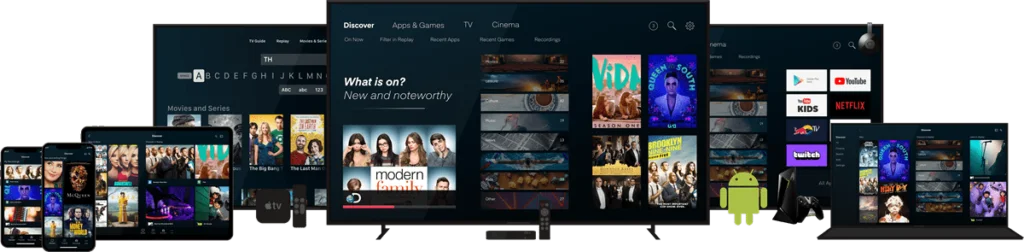
One of the main advantages of internet-based television is that it can work across several types of devices. You may prefer a large Smart TV at home, a phone when traveling, a tablet in another room, or a compact streaming box connected to an older television.
The important part is understanding device compatibility and the difference between installing your account on multiple devices and watching on multiple devices at the same time.
Smart TVs
Many Smart TVs support IPTV player apps directly. This creates a simple setup because no extra streaming box is required. Install a compatible player from the television’s app store, then complete the login or activation process.
The available apps vary between Samsung, LG, Android TV, Google TV, and other television platforms, so check compatibility before choosing a player.
Fire TV and Android TV devices
Dedicated streaming devices are useful when the TV’s built-in software is slow or does not support your preferred player. Fire TV and Android TV devices are especially flexible because they support a wide range of streaming applications.
They can also be easier to replace or upgrade than an entire television.
Phones and tablets
Mobile devices are useful for watching away from the main television and for testing an account during setup. Install a supported player from the official app store and enter the same type of account details required by the app.
When using mobile data, keep in mind that video streaming can consume a large amount of data. Wi-Fi is generally better for long sessions.
Computers
Depending on the service and player, computers can be used through compatible desktop software or supported web-based access. A computer is also useful for troubleshooting because it gives you another device for comparing network behavior.
Can the same account be installed on several devices?
That depends on the subscription and the player. Some services allow the account details to be stored on multiple devices but limit how many streams can run at the same time. Other packages are designed for a specific number of connections.
Before purchasing, confirm the simultaneous-connection policy if multiple people will be watching at once.
Player activation can be device-specific
Some IPTV player licenses are tied to a specific television or device identifier. That means activating the player on one Smart TV may not automatically activate the same app on another TV.
SunLiteTV’s Activation page lists supported players and provides an activation request path where applicable.
Keep each device organized
- Use clear device names when a player allows profiles.
- Keep your subscription information private.
- Do not share login details publicly.
- Use official app stores or trusted official sources for player installation.
- Keep the device operating system and player app updated.
Which device gives the best experience?
There is no single winner. A modern Smart TV can be convenient, while a dedicated streaming box may be faster and easier to maintain. Phones and tablets offer portability. The best device is the one that supports your preferred player, has a stable network connection, and is comfortable for how you watch.
You can compare SunLiteTV package options on the Subscription page. If you are unsure about a specific device or player, contact support before choosing a plan.
Final takeaway
IPTV can be flexible across TVs, streaming devices, phones, tablets, and computers, but device support and simultaneous connections should be confirmed in advance. Set up one device first, verify stable playback, and then expand to the rest of your devices.
Only use streaming services and content you are authorized to access.